
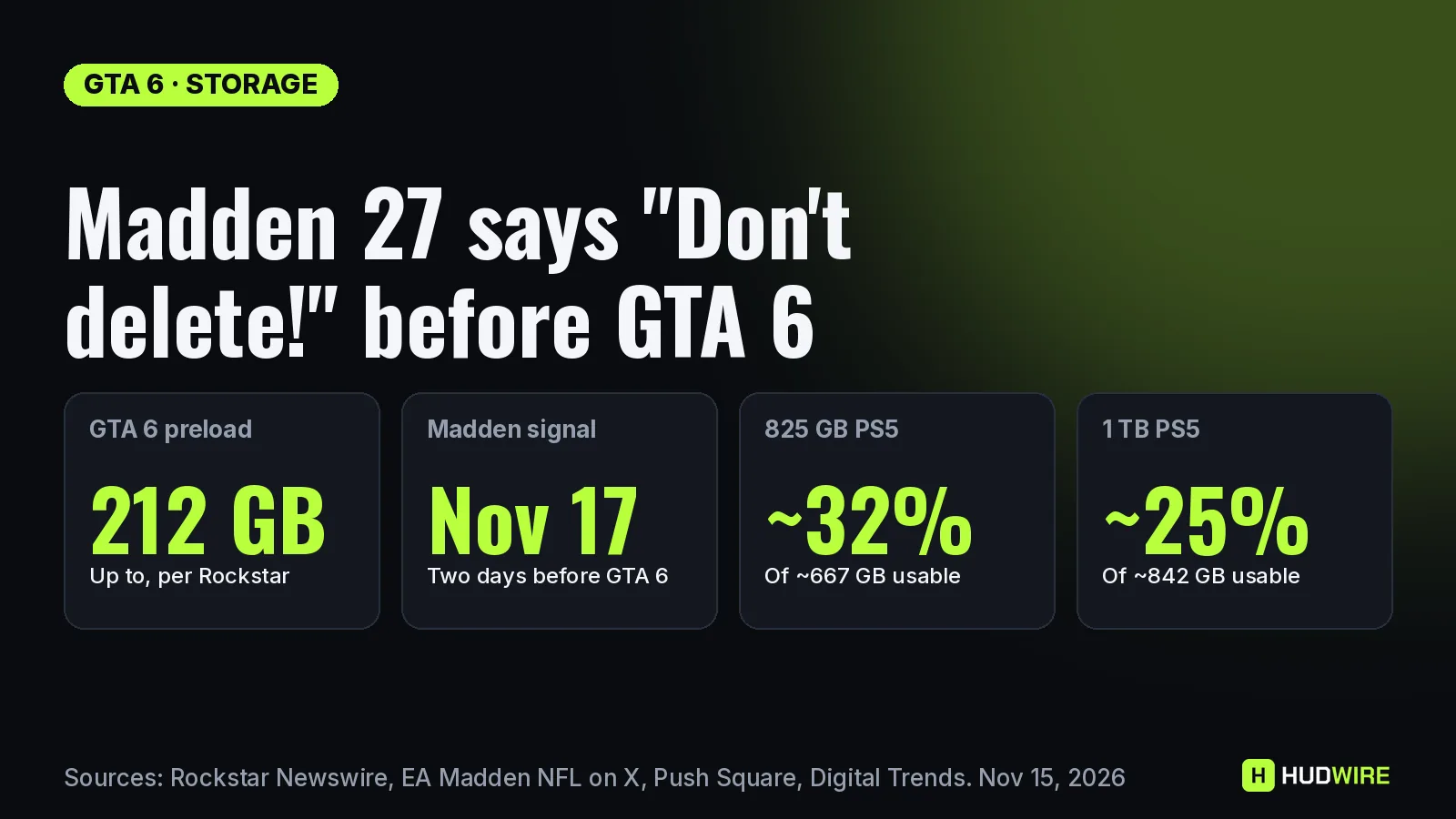
EA has started asking Madden NFL 27 players not to uninstall the game as GTA 6’s 212 GB preload eats into console storage. An in-game message, shared by players on November 14, reads “Don’t delete!” and teases something on November 17, two days before GTA 6 unlocks. Here is what EA has actually said, how much space GTA 6 really takes, and how to clear room without losing saves or games you still play.
Last checked on November 15, 2026. Official The 212 GB figure comes from Rockstar’s pre-load announcement, and the November 10 post is from the official Madden NFL account on X. Reported The in-game message was shared by players on X and reported by Push Square and GGRecon; EA has not explained what arrives on November 17.
What EA said, and what it did not
| Claim | Status | Detail |
|---|---|---|
| “Don’t let 210GB get between you and Your League.” | Official | Posted by @EAMaddenNFL on November 10, the day GTA 6 preloads opened |
| In-game “Don’t delete!” message | Reported | “The crew is assembling for a high-stakes run. Await the signal from our insider on 11/17. Do not leak this transmission!” Shared on X on Nov 14, covered by Push Square and GGRecon |
| Something lands in Madden on November 17 | Reported | Implied by the message; EA has not named a mode, promo or patch |
| It is an Ultimate Team promo | Reported guess | Push Square’s reading, based on the heist theme; not confirmed |
| 210 GB vs 212 GB | Note | EA rounded; Rockstar’s own figure is “up to 212 GB depending on your device” |
Our reading: the message is marketing, but it has a practical point. If you delete Madden now and EA pushes a content update on November 17, you will have to reinstall the whole game before you can play the new content.
How much of your console GTA 6 really takes
Official Rockstar says the pre-load file needs “up to 212 GB depending on your device”. Reported Usable space figures below are Digital Trends’ measurements, as cited by Make Tech Easier.
| Console | Usable space (approx.) | GTA 6 share | Left after GTA 6 |
|---|---|---|---|
| Original PS5 / Digital (825 GB) | ~667 GB | ~32% | ~455 GB |
| PS5 Slim / Digital (1 TB) | ~842 GB | ~25% | ~630 GB |
Our math 212 ÷ 667 = 31.8%; 212 ÷ 842 = 25.2%. Leave extra room for patches: the first GTA 6 update, 1.002, was about 1 GB on PS5 and 2.2 GB on Xbox (details). Not sure you have enough? Our GTA 6 storage calculator does the sums for every console.
Should you delete Madden NFL 27 for GTA 6?
| If you… | Our advice |
|---|---|
| Play Madden every week (Franchise, Ultimate Team) | Keep it at least until after November 17 and delete something you have finished instead |
| Have not opened Madden since September | It is a fair candidate; you can re-download it from your library later |
| Only need a few GB | Check if a game lets you remove parts of its data (see below) before deleting anything whole |
| Have slow internet | Reinstalling is the hidden cost: a 50 GB game takes about 67 minutes at 100 Mbps, before patches |
Our math 50 GB × 8,000 megabits ÷ 100 Mbps = 4,000 seconds, about 67 minutes. The size here is an example, not Madden’s official install size; check it in your console’s storage menu.
Checklist: free up space without losing anything
- Sort by size. On PS5, go to Settings > Storage > Console Storage > Games and Apps (Official PlayStation Support). On Xbox, open My games & apps > Manage.
- Trim before you delete. Official When a PS5 game shows Customize next to its name, you can delete only parts of it, such as add-ons or modes you have finished, and keep playing the rest.
- Back up saves. Official On PS5, saved data is managed separately under Settings > Saved Data and Game/App Settings; PlayStation Plus members can upload it to cloud storage. On Xbox, saves sync to the cloud when you are signed in and online (Xbox Support).
- Park games instead of deleting them. Official PS5 games can be moved to USB extended storage, but you must move them back to the console or an M.2 SSD to play them.
- Keep a margin. Aim for about 230 GB free, not 212 GB: sealed PS5 boxes list “230 GB minimum” (Reported; see GTA 6 file size).
Key takeaways
- EA’s official Madden account joked about the 210 GB problem on November 10; the in-game “Don’t delete!” teaser points to November 17.
- EA has not said what arrives on November 17.
- GTA 6 takes roughly a quarter of a 1 TB PS5 and about a third of an original 825 GB PS5.
- Deleting a game does not cost you the purchase, but reinstalling takes time; trim, back up or move games first.
FAQ
Why is Madden 27 saying “Don’t delete”?
Players shared an in-game message on November 14 that reads “Don’t delete! The crew is assembling for a high-stakes run. Await the signal from our insider on 11/17.” It arrived as GTA 6’s 212 GB preload pushes players to clear space.
What is coming to Madden 27 on November 17?
EA has not said. Push Square suggests it is likely Ultimate Team content because of the heist theme, but that is not confirmed.
How much space does GTA 6 need?
Rockstar says the pre-load needs up to 212 GB depending on your device. Keep around 230 GB free to be safe, because retail PS5 boxes list a 230 GB minimum.
Do I lose my saves if I delete a game on PS5?
PS5 manages saved data separately from game data, under Settings > Saved Data and Game/App Settings. To be safe, PlayStation Plus members can upload saves to cloud storage before deleting a game.
Can I play GTA 6 from an external drive?
No. PS5 games can be stored on USB extended storage but must be moved back to console storage or an M.2 SSD to play.
Keep reading on HUDWire
Image: HUDWire graphic. Checked November 15, 2026.
Sources
- Rockstar Newswire: Grand Theft Auto VI pre-load begins on November 10
- Madden NFL 27 (@EAMaddenNFL) on X, November 10, 2026
- Push Square: GTA 6’s 212GB PS5 file size prompts Madden NFL 27 to beg you not to delete it (Nov 15, 2026)
- GGRecon: Madden NFL 27 is begging you not to delete it for GTA 6
- Make Tech Easier: Madden NFL 27 “Don’t delete!” message and PS5 usable space (citing Digital Trends)
- PlayStation Support: How to manage storage space on your PS5 console
- Xbox Support: Saving games in the cloud