
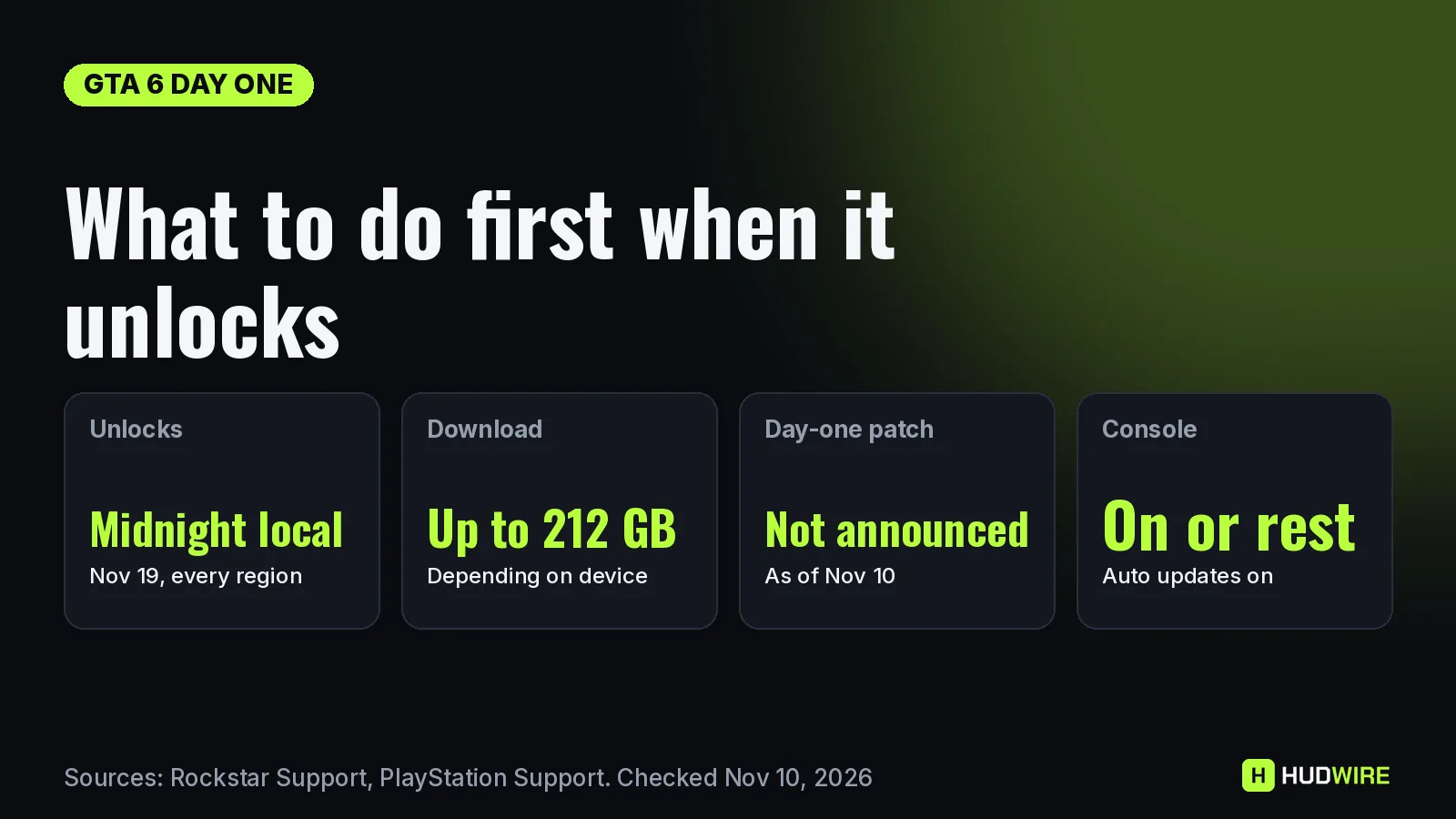
GTA 6 unlocks at midnight local time on Thursday, November 19, 2026, on PS5 and Xbox Series X|S, and the preload that opened on November 10 means most players will not need to download the game on launch night. What you still need to do is make sure the preload actually finished, leave room for any update, and set up your console before the clock hits midnight. This checklist runs from the week before launch to your first session, and every step says where it comes from.
Last checked on November 10, 2026. Official Rockstar’s pre-load announcement sets the November 10 preload, the 212 GB figure and the November 12 retail date for code-in-box copies. The console settings below come from PlayStation Support’s GTA VI page and Rockstar’s own preload instructions. Rockstar has not announced a day-one patch, so this page does not guess its size.
This week: confirm the preload really finished
A preload that stalls at 40% is the most common way to lose launch night. Check it now, while servers are quiet, not at 11:55 p.m. on the 18th.
- Check you own the right copy. Official On PS5, PlayStation Support says to open your avatar, then Order History, and confirm the GTAVI pre-order. Code-in-box copies hold a download code, not a disc, and Rockstar says they should reach retailers from November 12. Redeem that code as soon as you have the box so the download can start.
- Open the game’s page and look at the timer. Official On PS5, go to Game Library, select your GTAVI pre-order and select the countdown timer. The checkbox next to GTAVI must be ticked for auto-download, and you can start the download manually from the same screen.
- Fix a stuck download. Official PlayStation Support’s order is: Pause and Resume in Downloads/Uploads; if that fails, Cancel and Delete, go back to Game Library and turn auto-download on again; then check you are signed in to the account that bought the game, that the console is online, that there is enough space and that system software is up to date.
- On Xbox, check the install queue. Official Rockstar says Xbox players need automatic updates on and the console powered on or in Sleep mode. Reported Before the global start, Pure Xbox reported that the Store installed a small placeholder first and the full download arrived as an update at 00:00 GMT on November 10. If your queue still shows only a few hundred megabytes, restart the console. You can also start the Xbox preload from your phone.
The night before: November 18
- Know your exact unlock time. Official PlayStation Support says GTA VI releases at midnight local time on November 19 on PS5, and the Xbox launch also follows local midnight per Rockstar’s regional times. New Zealand goes first; the US store listing unlocks the whole country at midnight Eastern, which is 9:00 p.m. Pacific on November 18. Our release time by country table and live countdown convert it for you.
- Leave the console online. Official On PS5, set Settings, System, Power Saving, Features Available in Rest Mode, Stay Connected to the Internet. On Xbox, keep automatic updates on and use Sleep mode, not a full shutdown. If an update does land at unlock, it can download while you wait.
- Keep spare space. Our math The preload already takes up to 212 GB. With no announced patch size, keeping some extra free space means a launch update will not send you back to deleting games at midnight. Our storage calculator shows what fits on each console.
- Turn on system updates. Official PlayStation Support asks players to turn on Download Update Files Automatically and Install Update Files Automatically under System Software Update and Settings.
- Shared console? Check this one setting. Official If other accounts on your PS5 will play your copy, PlayStation Support says Console Sharing and Offline Play must be enabled, under Settings, Users and Accounts, Other.
At midnight: what to do first
- Do not reinstall. If the game page says it is ready, the preload is complete. Deleting and re-downloading 212 GB on launch night, when everyone else is online, is the worst option.
- Let any update finish before you start. Rockstar has not announced one, but if the console shows an update for GTA VI at unlock, wait for it rather than launching mid-download.
- Set display, audio and subtitles before the first cutscene. Brightness and HDR are easier to set on the menu than in the middle of the opening story.
- Mute spoilers. New Zealand plays roughly 19 hours before Mexico, and clips appear fast. Read what Rockstar takes down and mute the game’s name and characters on social apps first.
- Play the opening missions before roaming. Our math This is our advice, not a Rockstar instruction: Rockstar games usually teach their core controls in the first missions, and you will enjoy free roam more once they are done.
Dates between now and launch
| Date | What happens | Status |
|---|---|---|
| Nov 10 | Preload opens (PS5 local midnight, Xbox 00:00 GMT) | Official |
| Nov 12 | Code-in-box copies at retailers | Official |
| Nov 19 | Game unlocks at midnight local time | Official |
| Nov 21 | GTA VI: The Festival, Mana Wynwood, Miami | Official |
The full calendar, including reviews and in-person events, is in our GTA 6 launch-week dates guide.
What is still unknown
Rockstar has not announced a day-one patch, its size or patch notes. It has not confirmed a date for the online mode either; see what we know about GTA 6 Online. We will update this page if either changes.
FAQ
What time does GTA 6 unlock?
At midnight local time on November 19, 2026, on PS5 and Xbox Series X|S. New Zealand is first. The US store unlocks at midnight Eastern, which is 9:00 p.m. Pacific on November 18.
Do I need to download anything on launch day?
If your preload finished, the game should be ready at unlock. Rockstar has not announced a day-one patch, but keep the console online with automatic updates on in case one appears.
My GTA 6 preload is stuck. What should I do?
On PS5, pause and resume it in Downloads/Uploads. If that fails, cancel and delete the download and enable auto-download again from Game Library, then check your account, internet connection, storage and system software.
Can I play GTA 6 early with the preload?
No. The preload only downloads the files. The game stays locked until midnight local time on November 19 in your store region.
Does the boxed copy have a disc?
No. PlayStation Support says code-in-box versions only contain a download code. Rockstar says they should be at retailers from November 12.