
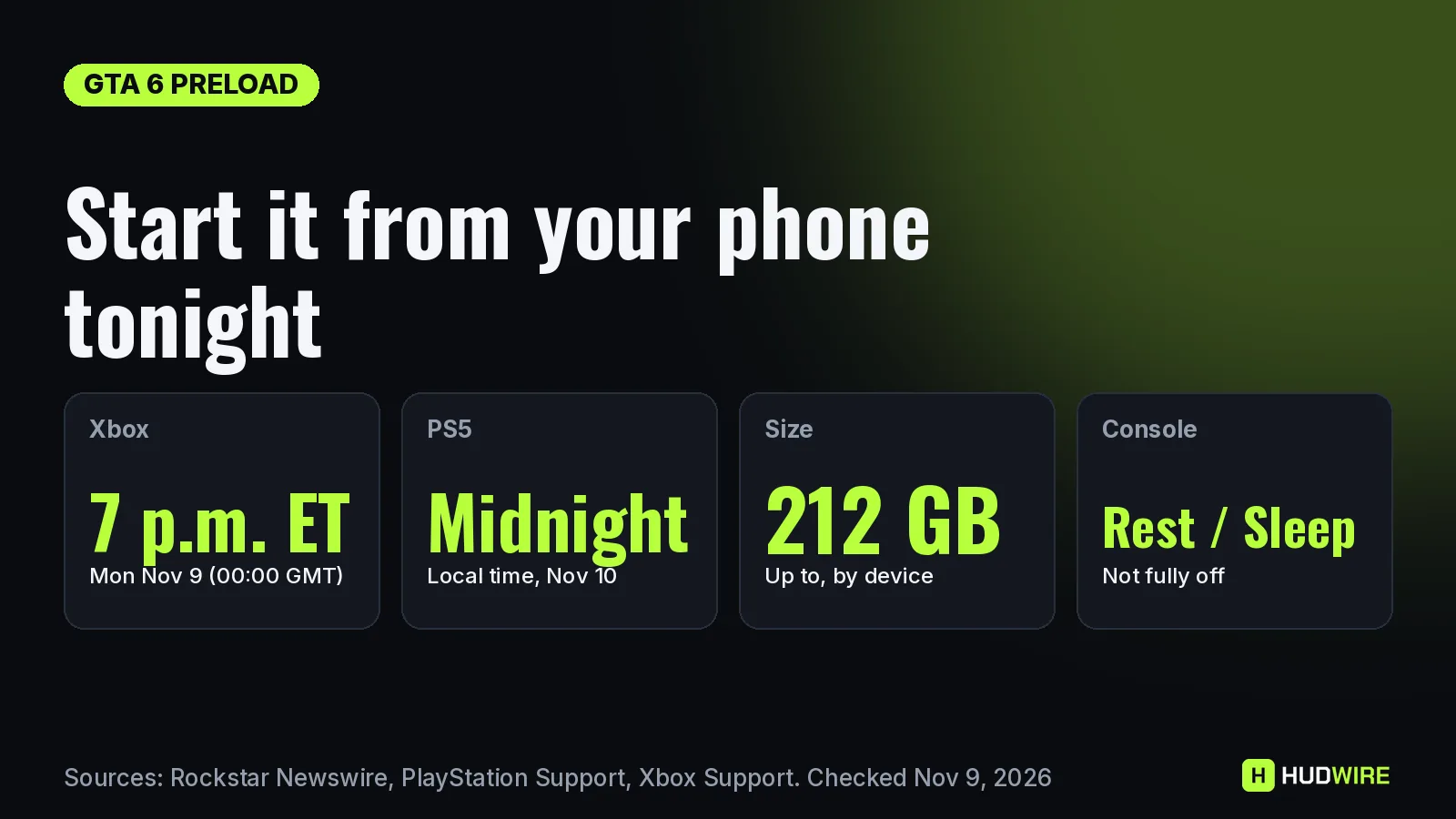
You do not need to be at your console when the GTA 6 preload opens. On PS5, a pre-order with auto-download switched on starts by itself while the console sits in rest mode, and the PlayStation App can start downloads and free up space remotely. On Xbox Series X|S, the Xbox mobile app can send the install to your console as long as remote features are on and the console is in Sleep mode. Xbox opens tonight at 7:00 p.m. ET (00:00 GMT on November 10); PS5 opens at midnight local on November 10. These are the exact settings, from Sony’s and Microsoft’s own support pages.
Last checked on November 9, 2026. Official Preload dates and the 212 GB size come from Rockstar’s Newswire and the PlayStation Blog. The PS5 steps come from PlayStation Support’s pages on pre-order auto-download and the PlayStation App. The Xbox steps come from Xbox Support’s remote installation page and xbox.com, which lists “pre-install your pre-ordered games” and “remote install games while away from your console” as digital features.
Before you leave the house: two-minute checklist
| Step | PS5 | Xbox Series X|S |
|---|---|---|
| 1. Power mode | Settings > System > Power Saving > Features Available in Rest Mode > Stay Connected to the Internet: on | Settings > General > Power options: Sleep |
| 2. Remote access | Pair the console in the PlayStation App: Settings > Pair Console to App | Settings > Devices & connections > Remote features: enable |
| 3. Auto-download | Game Library > GTA VI pre-order > select the timer > tick the content | Turn on automatic updates so the final launch package arrives too |
| 4. Space | Free up to 212 GB (you can delete games from the PlayStation App) | Free up to 212 GB before you go |
| 5. Leave it | Put the PS5 in rest mode, not fully off | Leave it in Sleep, not fully off |
Official Sony says remote downloads from the PlayStation App need the paired console to have Stay Connected to the Internet on and to be in rest mode. Xbox Support says the same about Remote features and Sleep on Series X|S. A console that is fully switched off cannot start anything.
PS5: let auto-download do it, or use the PlayStation App
Option 1: pre-order auto-download (best for tonight)
Official PlayStation Support: “From your games home, select Game Library and then select your pre-ordered game. A timer counting down to the game’s release appears. Select the timer.” If the checkbox next to the content is ticked, auto-download is on. With Stay Connected to the Internet enabled in rest mode, the preload starts on its own at midnight local time on November 10.
Option 2: start or manage it from your phone
- Open the PlayStation App and go to Settings > Pair Console to App (one time only, signed in with the same account as the console).
- Check space under Settings > PS5 Storage. Sony says you can delete games from console storage and USB extended storage from the app, but not move or copy them.
- Go to Game Library > Purchased, select the game and select Download. You get a notification when it finishes.
Reported Sony’s page does not say whether the Download button appears for a pre-order before the preload window opens. If it does not show up for GTA VI before midnight, Option 1 already covers you. If you installed an M.2 SSD and set it as the default install location, Sony says the app can download to it.
Official Refund warning: on PlayStation, once the main game starts downloading, including a preload, you can no longer get a pre-order refund. If you are still deciding, untick auto-download now. See how to cancel a GTA 6 pre-order.
Xbox Series X|S: use the Xbox app
- On the console: Settings > Devices & connections > Remote features, enable remote features, and set power to Sleep.
- On your phone: sign in to the Xbox app with the same account, find Grand Theft Auto VI in your library or the store, and choose the option to download or install to your console.
- Pick the drive. On a 512 GB Series S, check space first with our storage calculator.
Official The Xbox preload opens at the same moment worldwide: 00:00 GMT on November 10. In the Americas that is tonight. Reported If you try before that moment, the store may still show the pre-order without an install option; try again once the window opens.
When the preload opens where you live
| Where | Xbox (00:00 GMT) | PS5 (midnight local) |
|---|---|---|
| Los Angeles | Mon Nov 9, 4:00 p.m. PT | Mon Nov 9, 9:00 p.m. PT (US store uses Eastern) |
| New York | Mon Nov 9, 7:00 p.m. ET | Tue Nov 10, 12:00 a.m. ET |
| London | Tue Nov 10, 00:00 | Tue Nov 10, 00:00 |
| Madrid, Paris, Berlin | Tue Nov 10, 01:00 | Tue Nov 10, 00:00 |
| Sydney | Tue Nov 10, 11:00 | Tue Nov 10, 00:00 |
Our math Converted from Rockstar’s 00:00 GMT for Xbox. The full country table is on our GTA 6 preload time page.
How long 212 GB takes if you start it remotely
| Connection speed | Ideal download time for 212 GB |
|---|---|
| 50 Mbps | about 9 h 25 min |
| 100 Mbps | about 4 h 43 min |
| 300 Mbps | about 1 h 34 min |
| 1 Gbps | about 28 min |
Our math 212 GB × 8 = 1,696 gigabits, divided by your speed. Real downloads are slower at peak times, so starting from your phone at opening time can matter. Our download time guide has more speeds.
Preload not starting? Quick fixes
| Problem | Likely cause | Fix |
|---|---|---|
| No preload option at all | You bought the code-in-box version | Boxes reach stores from November 12; redeem the code first (physical boxes) |
| App cannot see the console | Console fully off, or remote settings off | Rest mode / Sleep, plus Stay Connected or Remote features |
| Download stops at once | Not enough free space | Clear up to 212 GB; delete from the app on PS5 |
| PS5 asks for an update | Pending system software | Update before you leave; see GTA 6 and PS5 firmware |
| Nothing happens on Xbox at 7 p.m. ET | Store catalog still updating | Wait a few minutes and retry from the app |
FAQ
Can I preload GTA 6 from my phone?
Yes. On Xbox Series X|S, the Xbox app can install to your console when remote features are on and the console is in Sleep. On PS5, a pre-order with auto-download on starts by itself in rest mode, and the PlayStation App can start downloads from your library.
What time can I preload GTA 6 on Xbox?
At 00:00 GMT on November 10, 2026. That is 7:00 p.m. ET and 4:00 p.m. PT on Monday, November 9, and 01:00 on November 10 in Spain, France and Germany.
What time can I preload GTA 6 on PS5?
At midnight local time on November 10 in your PlayStation Store region. The US store uses Eastern time, so it is 9:00 p.m. PT on November 9 on the West Coast.
Does my console need to be on?
It must be in rest mode (PS5) or Sleep (Xbox Series X|S), not fully switched off, with Stay Connected to the Internet or Remote features enabled.
Will preloading stop me getting a refund?
On PlayStation, yes: once the main game starts downloading, including a preload, you can no longer cancel the pre-order for a refund.
Keep reading on HUDWire
Sources
- PlayStation Support: How to pre-order and auto-download games from PlayStation Store
- PlayStation Support: PlayStation App (pair console, remote download, PS5 storage)
- Xbox Support: Install and manage games remotely
- Xbox: digital games, pre-install and remote install
- VGC: Rockstar details GTA 6 pre-load date, time and file size
- Rockstar Newswire: preload November 10, up to 212 GB